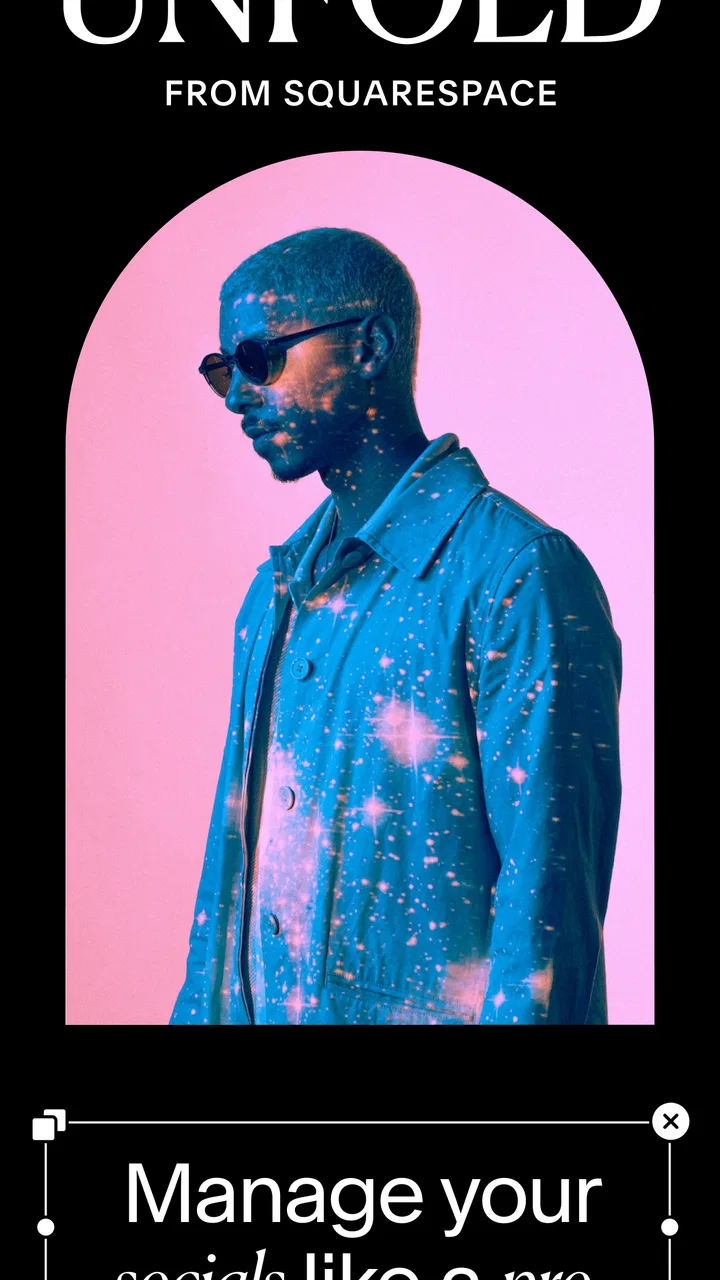
Unfold: Story & Reels Maker
- 3.8
- Rating
- 10.00M
- Installs
- Free
- Price

 Analysis by App-foxy
I approached Unfold: Story & Reels Maker as a photography app for people who want polished social posts without building every design from a blank screen. My first impression was that it sits between a quick collage tool and a more structured visual editor: it gives you a starting layout, then lets you bring in your own photos, video, text, and visual style. That makes it especially appealing when the goal is to publish something attractive quickly rather than spend an evening learning a full design program.
The app is made by Squarespace Inc and is free to download, with optional in-app purchases ranging from $0.99 to $99.99 per item. It is rated for Everyone, and its photography focus is clear from the way the experience revolves around images, story layouts, reels, collages, fonts, and editing tools. I found the strongest reason to try it is not simply the number of templates, but the way a template can remove the hardest early decision: where everything should go.
How Unfold feels during everyday use
In everyday use, I find the biggest difference comes from treating a story as a sequence rather than a pile of decorated photos. Before choosing a layout, I decide what the viewer should notice first and what can wait until later; that small bit of planning helps me avoid crowded pages and needless revisions. It also makes the next decision—how to start a first project—feel much less intimidating.
You May Also Like

 AccuWeather: Weather Radar
AccuWeather Review: A Quick, Clear Forecast for Everyday Decisions
For everyday plans, the best forecast is the one you can understand quickly. AccuWeather makes rain timing, radar, and local conditions easy to act on, with a few trade-offs.

 Hill Climb Racing
Why Hill Climb Racing Still Turns Crashes Into One More Run
A tiny car, a bumpy hill and one more upgrade: Hill Climb Racing keeps resurfacing because its simple chaos makes every near-miss feel personal.

 AliExpress - Shopping App
AliExpress Makes Global Shopping Feel Personal, but Shoppers Bear the Risk
AliExpress turns a global marketplace into a pocket-sized discovery engine. Its reach is useful, its shopping loop compelling, and its trade-offs easy to miss.

 Lords Mobile: Kingdom Wars
Lords Mobile Is a Kingdom-Building Routine, Not a Quick Match
A case-by-case verdict on the building, battles, device demands, and social commitments that make Lords Mobile rewarding for some players and exhausting for others.

 PDF Scanner app - TapScanner
TapScanner Makes Paperwork Easier to Capture, Check, and Share
TapScanner makes scanning with a phone feel less like a rescue operation and more like a dependable step in getting work done. Its capture tools are useful, though not flawless.

 Block Blast!
 Shows How Much a Puzzle Game Can Leave Out
A quiet grid game shows why puzzle players increasingly value instant clarity, repeatable skill and low-pressure play—and where the genre still needs to catch up.
More From Our News Desk
View All News


Starting quickly without losing creative control
Speed matters in this kind of app because many people open it with a specific moment in mind. You may have just taken pictures at a café, finished a small product shoot, or want to turn a weekend album into a sequence of social slides. Unfold is built for that situation. Instead of beginning with a completely empty canvas, I can choose a visual direction first and then adapt it to the material I actually have.
That approach feels faster than opening a general-purpose design editor and searching through menus for a suitable frame, type treatment, or spacing system. The benefit is most noticeable when I need a coherent result rather than a highly unusual one. A restrained template can make ordinary snapshots feel intentional, while a collage layout gives several related images a shared rhythm.
The trade-off is that template-led speed can also guide the design more than some users expect. If I want complete control over every measurement, layer, and visual effect, a full desktop-style editor remains the better choice. Unfold is more comfortable when I want decisions narrowed down without making the final post look completely automatic.
The current version is 8.162.0, and the app has been available since April 19, 2018. That long presence helps explain why the product feels aimed at repeat use rather than a single novelty edit. Still, I would not judge performance only by how quickly the first screen appears. The real test is what happens after importing several kinds of media, switching between pages, and revising a design before publishing.
A practical workflow for a busy day
Here is the kind of routine where I think the app makes sense. Imagine I am leaving a small event with a few portrait photos, one short clip, and a detail shot of the venue. I can use a multi-page story structure to establish the setting, highlight the people, and finish with the detail image. Rather than applying a different style to every post, I can keep the same visual language across the sequence.
For a small shop or independent creator, that consistency is more useful than a single dramatic effect. I might prepare a product introduction with one image-focused page, follow it with a close-up, and use a final page for a short message. The work still depends on the quality of the source images and the clarity of the writing, but the layout decisions become less tiring.
One tip I found useful is to choose the story structure before making detailed edits to individual pictures. If I crop everything first and only later decide that the selected layout needs a different shape, I may have to redo the visual balance. Selecting the frame system early makes the later adjustments more predictable.
Another practical habit is to treat each page as part of a sequence rather than as an isolated poster. A strong first image can carry the opening, while later pages can use simpler compositions so the story does not feel visually crowded. This is where Unfold is more interesting than a basic photo grid: it encourages pacing, not just arrangement.
What happens when a project becomes heavier
Light edits are naturally easier for any mobile photography app than a project containing many high-resolution pictures, several pages, and video. In heavier sessions, I pay attention to how much time I spend waiting, whether previews remain responsive, and how easy it is to return to the exact page I was editing. Those details affect the experience more than the presence of one extra filter.
Unfold works best for focused projects that I can complete in one sitting or in a few organized passes. I would be more cautious about treating it as a large archive or as the main workspace for a long campaign with many variations. Keeping source images organized before importing them helps. So does deciding which pictures deserve a place in the final sequence instead of bringing in everything and sorting it out later.
Heavy use is also where resource demands become more noticeable. Image editing, collage composition, font rendering, and video-based social content can all put more pressure on a phone than simple viewing. I would expect a newer device with comfortable free storage to feel more at ease than an older phone that is already crowded with photos and apps. That is not a criticism unique to this product, but it is important when choosing a mobile editor.
My advice is to save or export an important project before making a major round of changes. A careful workflow reduces the frustration of losing a preferred arrangement while experimenting. It also gives me a stable version to compare against when I try a different template or rewrite the text.
Stability and recovering from an interrupted session
Reliability is not only about avoiding crashes. It also includes how confidently I can pause a project, return later, and understand what still needs attention. Unfold feels most dependable when I work in small, clearly defined projects and avoid turning one file into a container for every idea. That makes it easier to identify the active design and reduces the chance of confusing an unfinished draft with a final version.
Mobile editing sessions are often interrupted by calls, low battery, travel, or a switch to another app. I prefer to think of the editor as a place for deliberate finishing rather than a guarantee that every uncommitted change will survive any interruption. For something important, I would complete a meaningful stage, save or export it, and then continue. That habit is especially sensible before changing the structure of a multi-page story.
Recovery also depends on the original material. If I delete, move, or rename source photos outside the project, I make the editing process harder for myself. Keeping the chosen images available until the work is complete is a simple but valuable precaution. It is the kind of workflow discipline that can make an app feel more reliable even when the phone itself is under pressure.
I would not use Unfold as the only place where irreplaceable images exist. My original photos should remain in my normal photo library or another backup location. The app is a presentation and editing workspace, not a substitute for a broader personal archive. That distinction matters if I am creating content while traveling or working with images that took time to capture.
Fonts, collages, and the value of restraint
The font and collage tools are most effective when they support the photograph instead of competing with it. I found that a small amount of text usually works better than trying to explain an entire story on one slide. A short title, location, date, or product detail can give the image context without turning the page into a crowded noticeboard.
Collages are useful when the images belong together but do not all deserve a full-screen presentation. For example, I might combine a wide scene with two detail shots, using the larger area for the image that explains the moment and the smaller areas for supporting views. That is more intentional than placing every photo in identical boxes.
A less obvious trade-off is that templates can make different projects look related, but they can also encourage visual sameness if I always choose the first style that feels acceptable. I get better results by selecting a layout for the story I am telling, then changing the image order and text hierarchy rather than decorating every page. The app rewards editing judgment more than simply adding more elements.
The AI editor is an interesting part of the package for users who want assistance during image preparation, but I would still review every result carefully before publishing. Automated editing can be convenient for a quick social post, yet personal photos, product colors, skin tones, and fine details deserve a human check. The faster an assisted tool makes an adjustment, the more important it is to notice whether the adjustment actually suits the image.
Device limits and choosing the right expectations
The minimum operating-system requirement is 10, so compatibility should be checked before installation. Beyond that basic requirement, the practical experience will depend on the phone or tablet itself, especially when working with larger media or more elaborate pages. A device with limited storage may make importing and exporting feel more troublesome simply because the surrounding system has less room to work.
I would recommend using the app on a device where photo selection is comfortable and the screen is large enough to inspect cropping and text placement. A small display can still be perfectly usable for quick stories, but it makes fine alignment harder. If I am producing content regularly, a larger screen gives me more confidence that a text edge, image crop, or collage gap will look intentional.
For people who edit casually, the resource demands should be manageable when projects stay modest. For frequent creators who handle many videos or maintain numerous drafts, the sensible approach is to finish and clear old work instead of allowing every experiment to remain active. This keeps the workspace easier to navigate and avoids making the phone carry unnecessary material.
There is also a difference between creating for a phone screen and creating for broader publication. Unfold is naturally suited to social storytelling and mobile-first visuals. If I need a print-ready brochure, a detailed brand system, or precise production specifications, I would move to a dedicated design application. The app can help me prepare attractive content, but it is not a replacement for every professional publishing workflow.
Who will appreciate it most
I think Unfold is a strong match for someone who posts photos and short-form content but does not want to become an expert in graphic design. It is also useful for travelers, students, small businesses, event organizers, and creators who need a consistent look across several pages. The free entry point makes it easy to test the basic workflow before deciding whether optional purchases are worthwhile.
That said, the free label should not be confused with unlimited access to every possible creative resource. Optional purchases can change how much of the broader experience is available, and the listed purchase range extends from $0.99 to $99.99 per item. I would first build a few real projects with the tools I can access, then decide whether a paid addition solves a recurring problem rather than buying based on curiosity.
I would skip it if my priority is advanced photo correction, deep layer management, extensive manual masking, or exact control over a brand library. A traditional photo editor is likely better for detailed retouching, while a full design platform is stronger for complex layouts and reusable business systems. Unfold makes a different promise in practice: it helps me reach a polished social composition with fewer decisions.
It may also be the wrong choice for someone who dislikes templates on principle. Even when a layout can be customized, the overall experience is still shaped by prepared design ideas. Users who want to draw, build every component from scratch, or control highly technical export details may feel constrained rather than helped.
How it compares with familiar alternatives
Compared with a basic collage maker, Unfold offers a more narrative way to arrange images. A simple collage tool is often quicker for one grid, but it may not provide the same sense of progression across multiple pages. If I only need four pictures in a square arrangement, the simpler option could be enough. If I want those pictures to feel like chapters in one post, Unfold is more suitable.
Compared with a general social-media editor, Unfold feels more focused on visual consistency and story presentation. A broader editor may offer a larger range of unrelated effects and promotional elements, while this app keeps me closer to photography, typography, and page composition. That narrower focus can be a benefit when I want fewer distractions, though it may feel limiting when I need a very specific effect outside its design language.
Compared with a professional desktop editor, the advantage is convenience and a gentler learning curve. The disadvantage is depth. I can produce a clean result without mastering a large toolset, but I should not expect the same level of precision or production control. Choosing between them depends on whether my bottleneck is design skill and time, or technical control and repeatability.
My performance verdict after regular use
Unfold is at its best when I use it as a focused mobile publishing tool: select a small group of images, choose a suitable structure, refine the crop and text, check the sequence, and finish the project. That workflow feels efficient because it reduces the blank-page problem without removing all creative decisions. It also encourages me to think about how a viewer moves through a story instead of treating every image as a separate post.
Its weaker side appears when a project grows too large, the device is short on space, or I expect professional-level control from a template-driven editor. In those situations, I would work in smaller batches, preserve finished versions, and move complex image work to a more specialized application. Those are not reasons to dismiss the app; they are boundaries that make its intended role clearer.
With an average rating of 3.8 from around 176 thousand ratings and more than 10 million installs, it has clearly found a substantial audience, although popularity alone does not guarantee that it will suit my workflow. I would describe it as a practical choice for quick, attractive story and reel compositions, especially for people who value consistency over unlimited customization.
My final recommendation is straightforward: try it if you regularly want your photos to look more considered than a plain upload, but do not want the weight of a full design suite. Keep your originals backed up, begin with modest projects, inspect assisted edits before sharing, and judge optional purchases by how often they solve a real need. Used that way, Unfold feels less like a collection of decorative templates and more like a dependable starting point for turning everyday photos into coherent visual stories.
FAQs for Unfold: Story & Reels Maker
01What is Unfold: Story & Reels Maker used for?
Unfold: Story & Reels Maker is a design and content-creation app for producing polished social media stories, reels, posts, and other vertical formats. It provides ready-made templates, text tools, photo and video layouts, filters, stickers, and branding options. It is especially useful for creators, influencers, small businesses, and anyone who wants a more professional look without designing every post from scratch.
02Is Unfold: Story & Reels Maker free to download and use?
The app can generally be downloaded for free, but the free version offers only a selection of templates, tools, and design assets. Many premium collections and advanced features require a subscription or separate in-app purchase. Before downloading, users should review the current pricing, trial conditions, renewal terms, and cancellation policy, since available plans and included features may change between Android and iOS.
03Does Unfold work with both photos and videos?
Yes, Unfold supports projects that combine photos and video clips, making it suitable for Instagram Stories, Reels, and similar vertical content. You can place media into templates, add text, music or other creative elements where supported, and adjust the overall appearance. Performance may depend on your device, video resolution, storage space, and the specific template or export format selected.
04Can I use Unfold to create branded content for a business?
Unfold includes features that can help businesses and creators maintain a consistent visual identity, such as reusable layouts, customizable typography, color choices, logos, and brand-focused design tools. However, the exact branding controls may depend on the subscription tier. Users creating commercial content should also check the licensing terms for templates, fonts, music, stock elements, and other assets before publishing or selling their work.
05Does Unfold require an internet connection, and where can finished designs be shared?
An internet connection may be needed for downloading templates, loading certain design assets, synchronizing account information, accessing subscription features, and exporting or using online content. Once a project is available on the device, some editing may work offline, although functionality can vary. Finished designs can typically be saved to the device and shared through supported social networks or other installed apps.
Pros
- Elegant templates make Stories look polished with minimal effort.
- Supports photo
- video
- text
- and collage-based social content.
- Useful text tools include varied fonts
- colors
- and alignment options.
- Projects can be edited quickly
- making it practical for frequent posting.
- Exported designs generally preserve a clean
- professional appearance.
Cons
- Many premium templates and tools require a paid subscription.
- Some designs offer limited customization compared with full editing apps.
- Video exports may take longer on older phones or with complex projects.
- The abundance of templates can make choosing a style feel overwhelming.
- Advanced editing features are less extensive than those in dedicated editors.

Unfold: Story & Reels Maker
Gallery